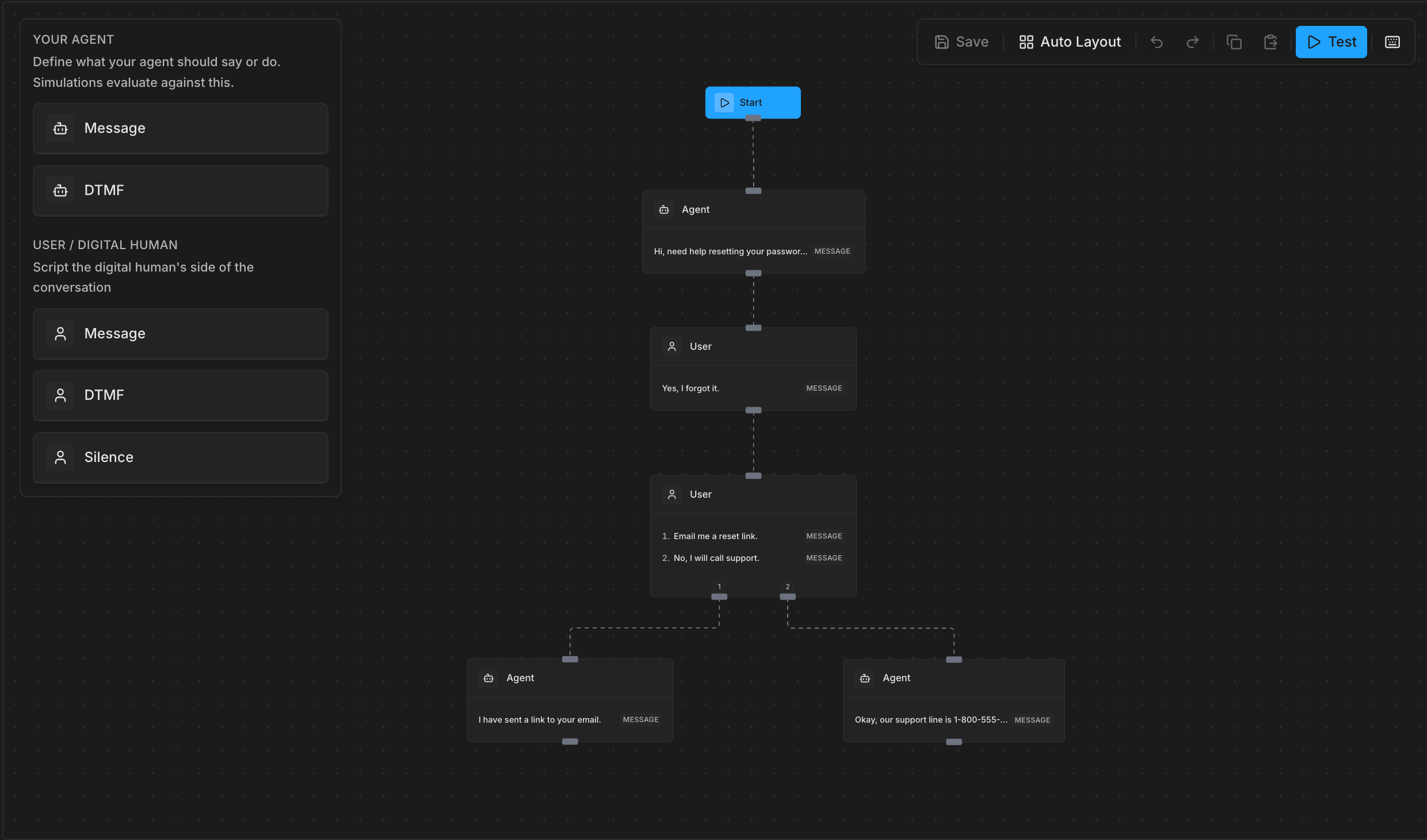
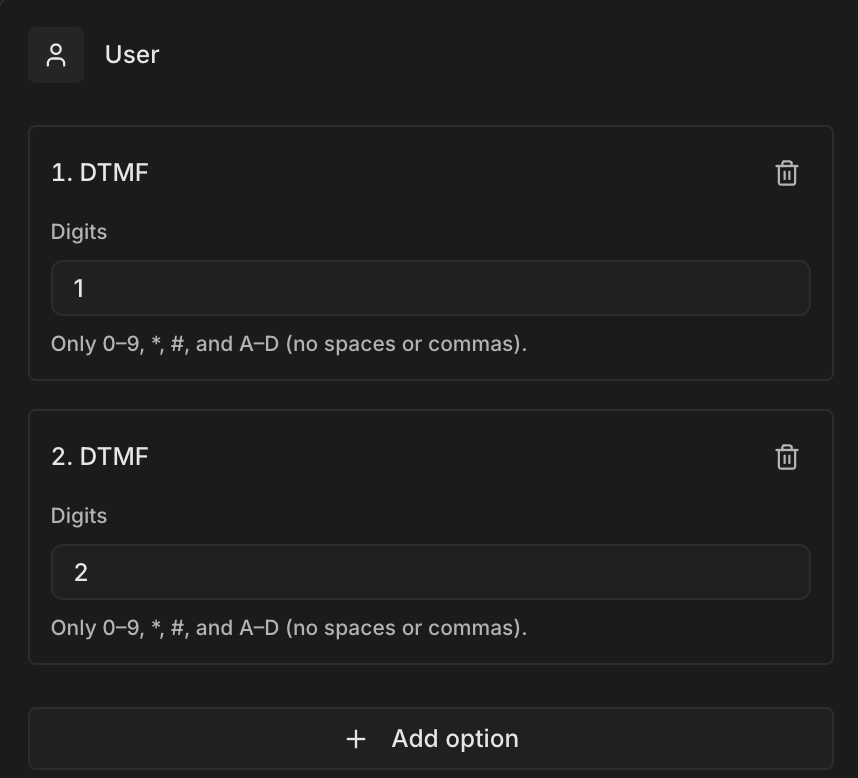
Suppose you were testing a workflow where your agent says a phrase like “Press 1 for English or 2 for Spanish”, you would then want to test both cases where our digital human presses 1, and the other where it presses 2. You can do this by adding another option to a user node.Options nodes model a point where the user picks from multiple paths — pressing a key, saying a specific phrase, or staying silent.
Each branch is defined in data.branch_options (minimum 2 entries). Options nodes are always user-only.Each branch option has:
id — a unique string used to match outgoing edges via sourceHandle
type — exact, silence, or dtmf (no contextual)
message / duration_ms / digits depending on the type
When an options node continues to another content node, the edge must set sourceHandle to the branch’s id so Bluejay knows which path was taken.
Workflows is currently for VOICE agents only. Linking a TEXT-mode agent returns a 400 error. TEXT support is coming soon.
This example models an IVR-style menu where the user either presses a DTMF key for customer support or says a phrase to reach billing. Each branch continues to a different agent response.
Show code
import requestsBASE_URL = "https://api.getbluejay.ai/v1"def create_branching_workflow(api_key, agent_id=None): """ Workflow with an options node where the user chooses a path. Branch 1: user presses 1 (DTMF) → customer support Branch 2: user says a billing phrase (exact) → billing """ definition = { "nodes": [ { "id": "start", "type": "start", "data": {} }, { "id": "agent-menu", "type": "single", "data": { "type": "exact", "speaker": "agent", "message": "Press 1 for customer support, or say billing to reach our billing team." } }, # Options node: user picks a branch { "id": "user-choice", "type": "options", "data": { "branch_options": [ { "id": "branch-support", "type": "dtmf", "digits": "1" }, { "id": "branch-billing", "type": "exact", "message": "Billing" } ] } }, # Branch 1 continuation { "id": "agent-support", "type": "single", "data": { "type": "contextual", "speaker": "agent", "message": "Acknowledge the customer and begin troubleshooting their support issue." } }, # Branch 2 continuation { "id": "agent-billing", "type": "single", "data": { "type": "contextual", "speaker": "agent", "message": "Pull up the customer's account and address their billing question." } } ], "edges": [ {"id": "e1", "source": "start", "target": "agent-menu"}, {"id": "e2", "source": "agent-menu", "target": "user-choice"}, # sourceHandle must match the branch_options id { "id": "e3", "source": "user-choice", "target": "agent-support", "sourceHandle": "branch-support" }, { "id": "e4", "source": "user-choice", "target": "agent-billing", "sourceHandle": "branch-billing" } ] } body = {"name": "Support & Billing Menu", "definition": definition} if agent_id is not None: body["agent_ids"] = [agent_id] response = requests.post( f"{BASE_URL}/workflow", headers={"X-API-Key": api_key, "Content-Type": "application/json"}, json=body ) response.raise_for_status() result = response.json() print(f"Created workflow: {result['name']} (ID: {result['id']})") print(f"Agent links: {result['agent_ids']}") return result# Usageworkflow = create_branching_workflow(api_key="your-api-key", agent_id=123)
The sourceHandle on each edge must match the id of a branch_options entry on the options node. This is how Bluejay knows which branch a given edge continues.
def list_workflows(api_key, agent_id=None): """List all workflows for your organization. Optionally filter by agent.""" params = {} if agent_id is not None: params["agent_id"] = agent_id response = requests.get( f"{BASE_URL}/workflow", headers={"X-API-Key": api_key}, params=params ) response.raise_for_status() result = response.json() print(f"Found {result['total_count']} workflow(s)") for wf in result["workflows"]: print(f" {wf['name']} — {wf['id']} (created {wf['created_at']})") return result# All workflows in your orglist_workflows(api_key="your-api-key")# Only workflows linked to a specific agentlist_workflows(api_key="your-api-key", agent_id=123)
The update is a partial PATCH-style PUT — only fields you include are changed. If you include agent_ids (even as [] or null), all existing agent links are replaced.
def update_workflow(api_key, workflow_id, name=None, description=None, agent_ids=None, definition=None): """Partially update a workflow. Omitted fields are left unchanged.""" body = {} if name is not None: body["name"] = name if description is not None: body["description"] = description if agent_ids is not None: body["agent_ids"] = agent_ids if definition is not None: body["definition"] = definition response = requests.put( f"{BASE_URL}/workflow/{workflow_id}", headers={"X-API-Key": api_key, "Content-Type": "application/json"}, json=body ) response.raise_for_status() result = response.json() print(f"Updated: {result['name']}") return result# Rename onlyupdate_workflow(api_key="your-api-key", workflow_id="<uuid>", name="Renamed Flow")# Swap agent linksupdate_workflow(api_key="your-api-key", workflow_id="<uuid>", agent_ids=[456])# Clear all agent linksupdate_workflow(api_key="your-api-key", workflow_id="<uuid>", agent_ids=[])
Once your workflow is created, you can use it to automatically generate digital humans — one per unique path through the graph.
Show code
import requestsBASE_URL = "https://api.getbluejay.ai/v1"def generate_digital_humans_from_workflow( api_key, agent_id, simulation_id, workflow_v2_id, count=10): """ Generate digital humans from a Workflows definition. Each unique path through the workflow becomes a separate digital human. Count is capped at 200 per workflow. """ body = { "agent_id": agent_id, "simulation_id": simulation_id, "workflow_adherence_v2": { workflow_v2_id: count # up to 200 } } response = requests.post( f"{BASE_URL}/generate-digital-humans", headers={"X-API-Key": api_key, "Content-Type": "application/json"}, json=body ) response.raise_for_status() result = response.json() created = result.get("digital_humans", []) print(f"Generated {len(created)} digital human(s) from workflow {workflow_v2_id}") for dh in created: print(f" - {dh['name']} (ID: {dh['id']})") return result# Usagegenerate_digital_humans_from_workflow( api_key="your-api-key", agent_id=123, simulation_id=456, workflow_v2_id="your-workflow-uuid", count=50)
You can also pass several workflow IDs in the same request:
Bluejay validates your graph when it contains content nodes. A graph with only a start node (or no nodes at all) is saved as a draft without validation — useful while you’re building.Once you add a single or options node, the following rules apply:
At most one start node — having two or more start nodes is always rejected, even in draft mode
No directed cycles — the graph must be acyclic
No orphaned content nodes — every single or options node must be reachable from the start node via edges
Single node rules
data.type is required (exact, contextual, silence, or dtmf)
exact and contextual: message must be non-empty
contextual: speaker must be "agent" (or omitted); not allowed for user turns
silence: duration_ms must be a finite number between 0 and 86,400,000
dtmf: digits must be non-empty, containing only 0-9, *, #, A-D (case-insensitive)
Options node rules
At least 2 entries in branch_options
Speaker must be "user" or omitted
Each branch type must be exact, silence, or dtmf — not contextual