


- 🚨 Fail CI if score drops below your threshold
- 🔍 Automatically test every PR and commit
- ⚡ Zero-install; runs on GitHub-hosted runners
- 🎯 Override prompts, knowledge bases, and digital humans per run
Before Starting
You’ll need:- Bluejay API Key – Get yours from the Bluejay dashboard
- Simulation ID – Create a simulation in Bluejay first with your test scenarios and digital humans. The simulation defines what conversations your agent will be tested on.
Quick Start
Add your API key and variables
Go to:
Settings → Secrets and variables → ActionsAdd a Secret:- Click
New repository secret - Name:
BLUEJAY_API_KEY - Value: Your API key from the developers page
- Click the
Variablestab - Click
New repository variable - Add the following:
| Variable Name | Value | Required |
|---|---|---|
BLUEJAY_SIMULATION_ID | Your simulation ID (e.g., sim_12345) | ✅ Yes |
BLUEJAY_MIN_SCORE | Minimum passing score (e.g., 80) | No |
BLUEJAY_PROMPT_ID | Prompt override ID | No |
BLUEJAY_KB_ID | Knowledge base override ID | No |
BLUEJAY_DIGITAL_HUMAN_IDS | Comma-separated Digital Human IDs | No |
BLUEJAY_PHONE_NUMBER | Phone number override | No |
BLUEJAY_SIP_URI | SIP URI override | No |
Trigger a simulation
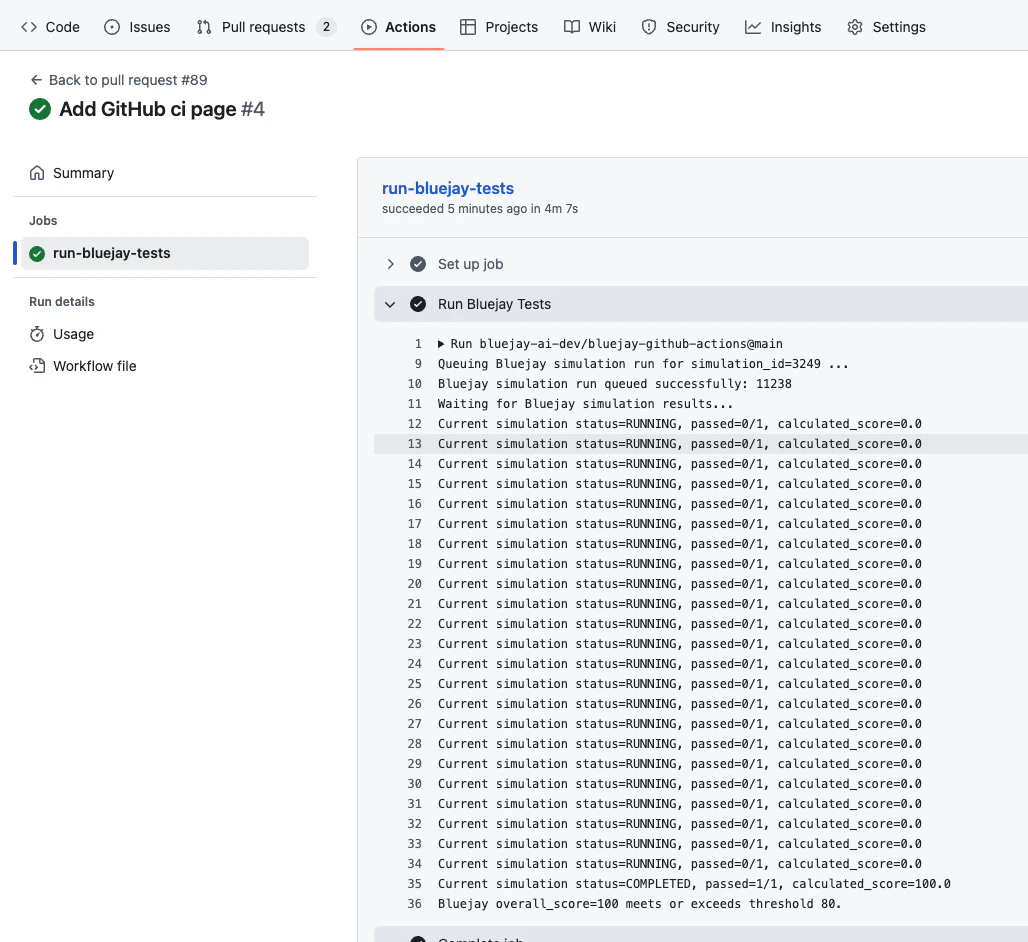
Make changes to your codebase and open a pull request. The GitHub Action will automatically run Bluejay tests on every PR.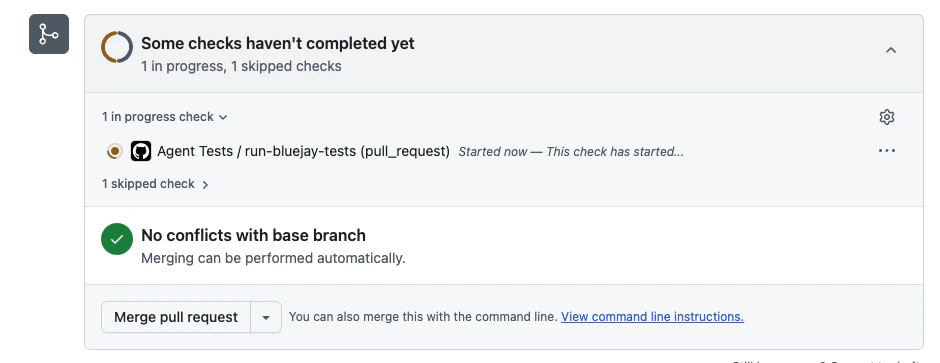
Inputs
| Input | Required | Default | Description |
|---|---|---|---|
api_key | ✅ Yes | — | Your Bluejay API key. |
simulation_id | ✅ Yes | — | ID of the simulation to run. |
prompt_id | No | — | Override prompt for this run. |
knowledge_base_id | No | — | Override knowledge base for this run. |
digital_human_ids | No | — | Comma-separated list of Digital Human IDs. |
phone_number | No | — | Phone number override for the run. |
sip_uri | No | — | SIP URI override for the run. |
wait_for_results | No | true | Wait for simulation to finish. |
min_score | No | 80 | Required overall score (0–100). |
poll_interval_seconds | No | 10 | Polling frequency in seconds. |
timeout_seconds | No | 1500 | Timeout (25 minutes). |
Outputs
| Output | Description |
|---|---|
simulation-run-id | The ID of the queued simulation run. |
final-status | Final simulation status: completed, failed, cancelled, etc. |
score | Overall numeric score from the simulation. |
Advanced Usage
Customize When Tests Run
You can customize when your Bluejay tests run by modifying theon: section of your workflow. Here are some common patterns:
- Push Only
- Pull Requests Only
- Scheduled Runs
- Manual
Run tests only when pushing to specific branches:
Want more control? For a complete list of events and advanced trigger configurations, see the GitHub Actions documentation on workflow triggers.