



Quick Prerequisites
- Retell API Key
- A Bluejay Account
Setting Up the Integration
1. Configure Organization Settings
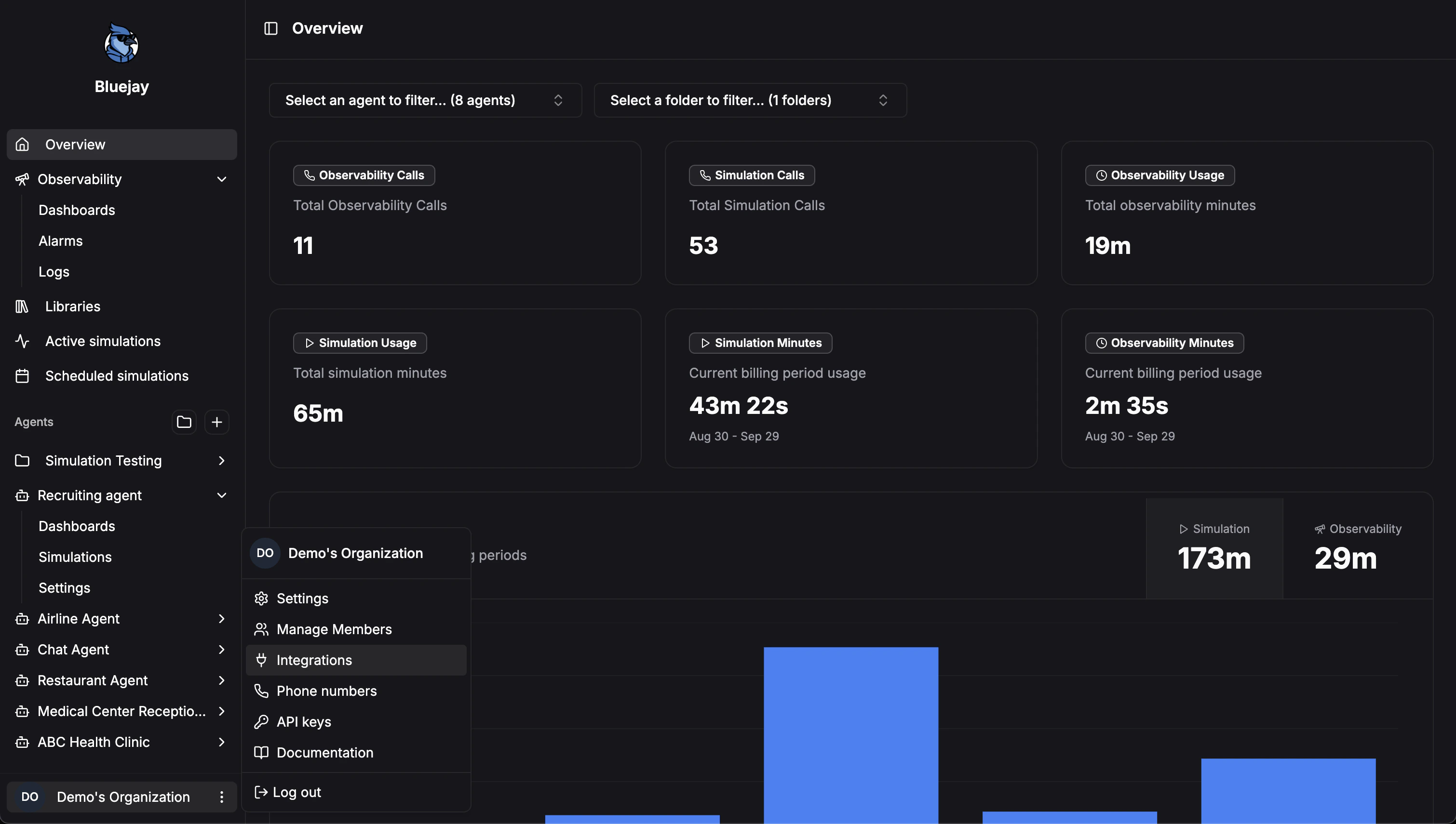
- Log into your Bluejay Dashboard
- Click on your Organization button in the bottom left corner
- Select the Integrations option
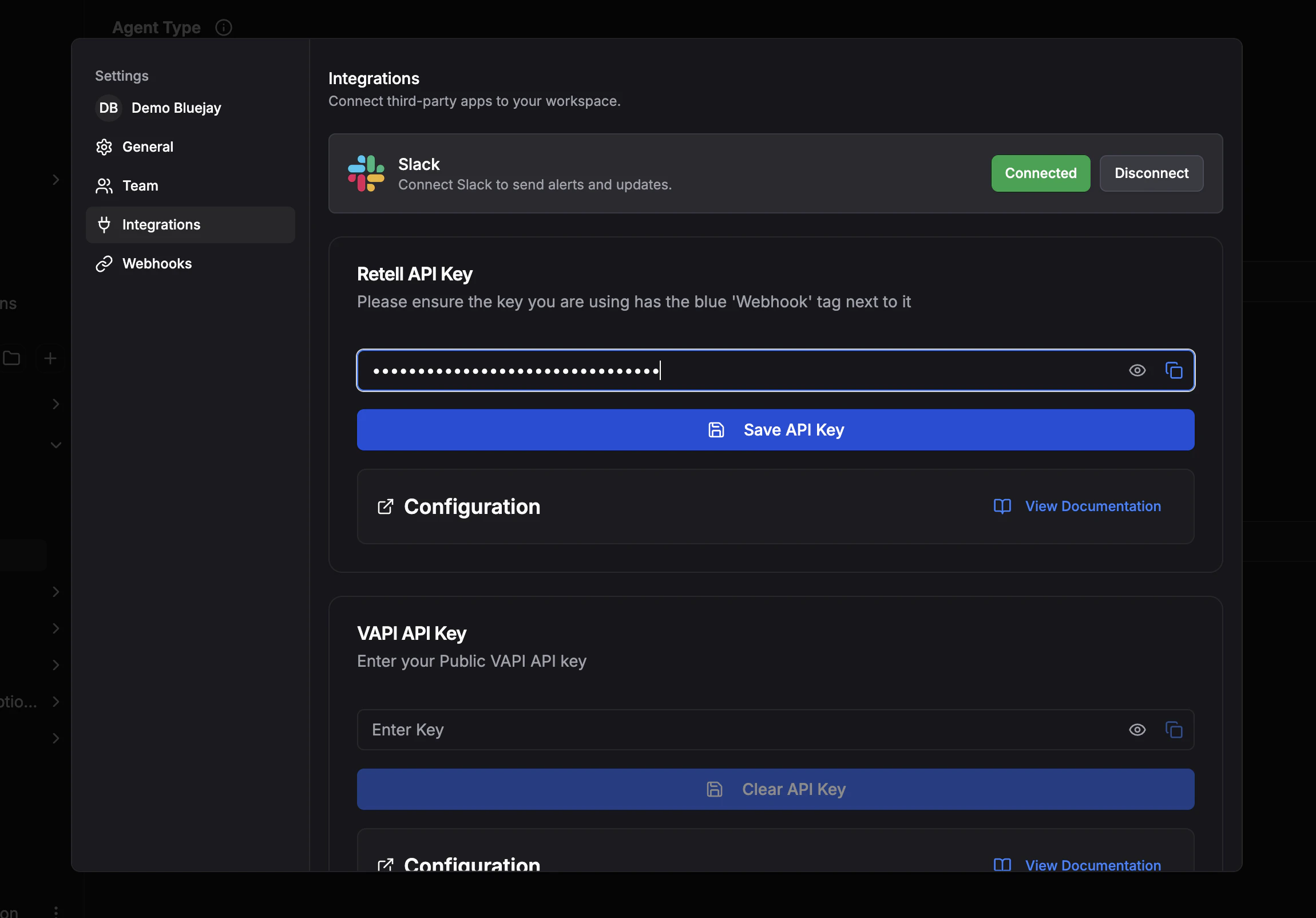
2. Adding Your Retell Key
- Locate the Retell API Key input
- Enter your Retell API Key into the field
- Click Save API Key
3. Configuring Your Agent in Retell
- Copy the Webhook URL given in the Webhook configuration dropdown
- Navigate to your Retell Agents dashboard and click the Webhook Settings dropdown
- Paste the Webhook URL into the Agent Level Webhook URL field
4. Configuring Your Agent in Bluejay
- Navigate to your desired Agents Settings tab
- Scroll down and click the Advanced Settings dropdown
- Select Retell as your Voice AI Provider
- Copy and paste your Retell Agents ID into the Assistant ID field
- Click Save Changes